WordPress made practical
WordPress Guides
Step-by-step articles to help you build, customize, secure, and grow a WordPress website. Each guide connects the practical steps with courses for learning more.

What Is cPanel | A Quick Tour for Beginners
What is cPanel and why do new website owners need it? This quick guide explores the simple layout of this popular dashboard. It’s a must-read for novice webmasters everywhere.
Read article
How to Bulk Delete WordPress Comments
A simple tutorial on how site owners can bulk delete WordPress comments. Options include deleting comments in WP Dashboard, using a plugin and via phpMyAdmin. Learn which method is right for you.
Read article
How to Add reCAPTCHA to a WordPress Comment Form
Learn how to add a reCAPTCHA Test to WordPress comments forms in minutes. This step-by-step guide looks at your options and explains the difference between reCAPTCHA v2 and v3.
Read article
How to Add a PayPal Donate Button in WordPress
A quick guide on how to add a custom PayPal Donate Button into any WordPress blog post, page, or widget-friendly area. Choose between a free plugin or embed code into your WP editor.
Read article
How to Add Subscription Box to Notify Readers of New Content
A short guide to show you how to add a simple subscription box in WordPress to notify your readers of new content. It’s an effective way to engage with site visitors and create return traffic.
Read article
How to Add Social Share Buttons in WordPress
New step-by-step tutorial shows you how to add attention-grabbing social share buttons in WordPress. Users can customise the share buttons and control the share counts with this simple plugin.
Read article
How to Add Featured Images or Post Thumbnails in WordPress
Featured images or post thumbnails get 94% more views than text only links in WordPress. This tutorial shows you how to use featured images in WordPress to best effect.
Read article
How to Add Custom Hyperlinks to Your WordPress Gallery Images
You can add custom links to your gallery or single images in WordPress. This step-by-step tutorial shows how to quickly add and edit custom links from the Post Edit screen.
Read article
Gutenberg – A Guide to the new WordPress Editor
Gutenberg is the new WordPress editor coming in WordPress 5.0. You can try it now though, so what can you expect? Explore Gutenberg with this tutorial!
Read article
How to Move a WordPress Website to a New Web Host
Are you happy with your web host? If you are, then congratulations because moving web host can be a real pain. I know as I have done it several times over the years. If you have a lot of websites to move, you may even decide to put up with a sub-par host because you […]
Read article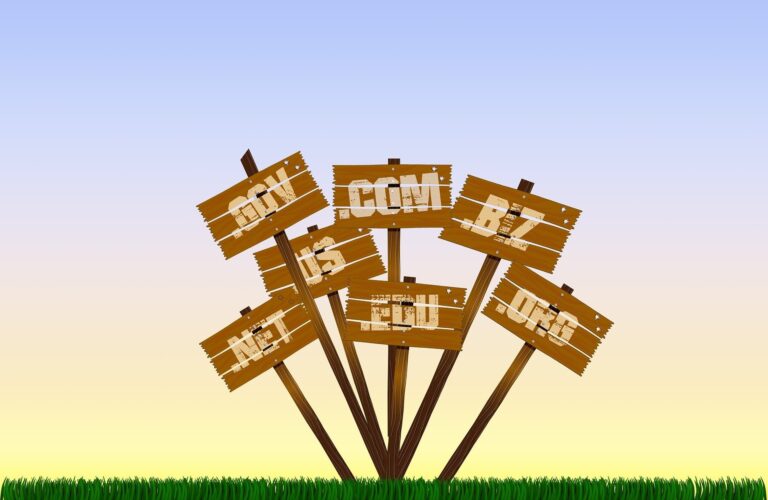
How to Choose the Best Domain Name for Your WordPress Website
What to name your new WordPress Website? These 8 tips show you how to choose the best domain name for a blog, personal site, or online store. Also, which domain extensions (TLDs) to avoid.
Read article
Gutenberg or Elementor?
WordPress 5.9 introduced Full Site Editing with it's block editor, Gutenberg. So where does this leave Elementor, and which is the best tool for you?
Read article

