Once you’ve finished editing your Word manuscript, this walkthrough will help you turn it into files you can review for Amazon KDP. Watch the video first, then use the steps below to work through your own book. If you’re publishing both Kindle and print, start with one edition and use it as the starting point for the next.
1. Import the manuscript and check the chapter structure
Create a project for Kindle, Paperback, or Hardcover and import your Word file. Look through the chapter list and compare the headings with your manuscript. Fix missing or unexpected chapter breaks now, before styling the pages or generating the contents.
2. Set the interior style and add the supporting pages
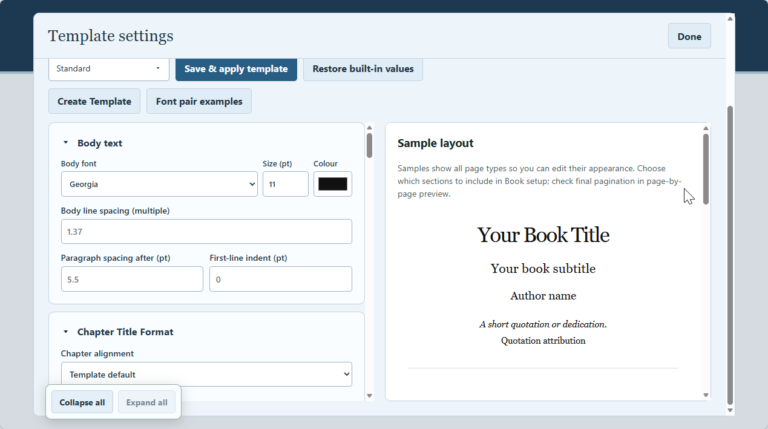
Choose a formatting template and review a sample chapter. For print, confirm the book’s trim size and margins before refining type, spacing, and indents. Add the title page, copyright note, contents, and any back matter, then put them in the order you want readers to see them.
3. Prepare the cover for the edition you’re exporting
For Kindle, check the front image at thumbnail size to see if the title is still readable.
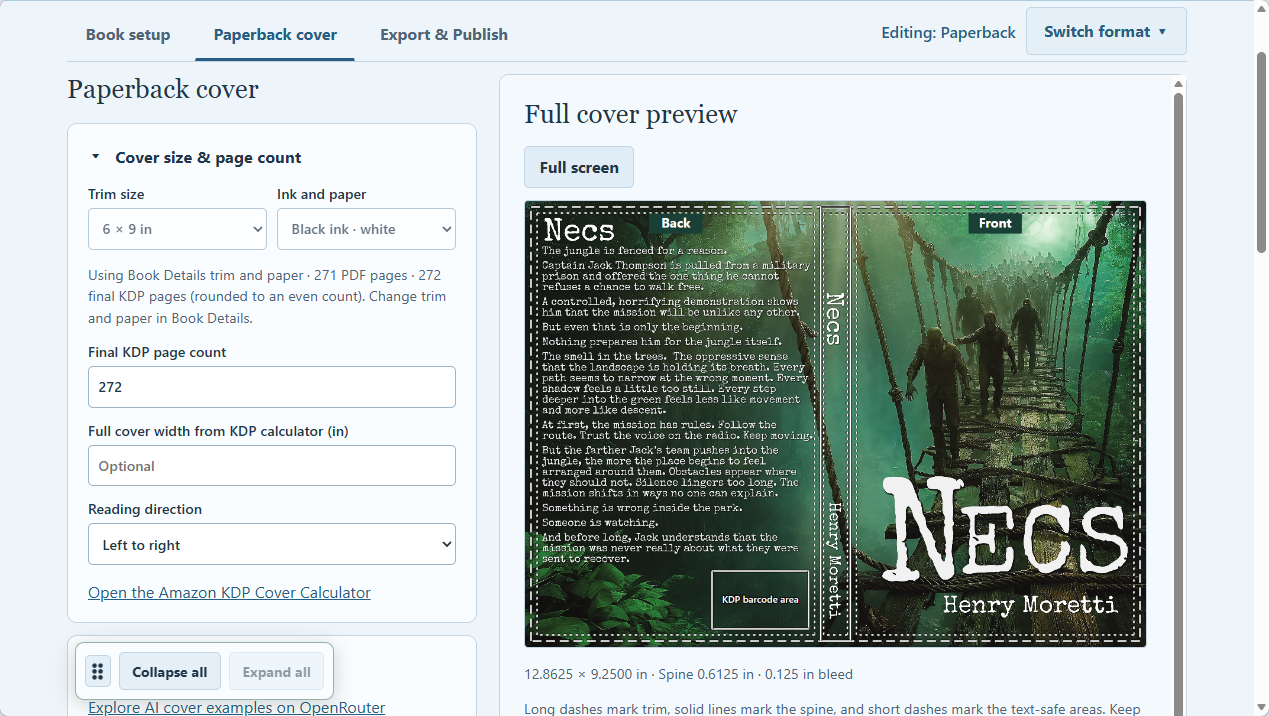
For paperback or hardcover, work with the full back, spine, and front. Check the print cover against the final interior page count, especially if you changed chapter breaks or added back matter.
4. Preview the book and export the files
For print, use Check Layout to inspect chapter openings, margins, images, and page numbering.
For Kindle, follow a few contents links in the reading preview and check that chapters and images display as expected.
Export the Kindle EPUB or the print interior and cover PDFs, then check those files in the corresponding Amazon preview tool.
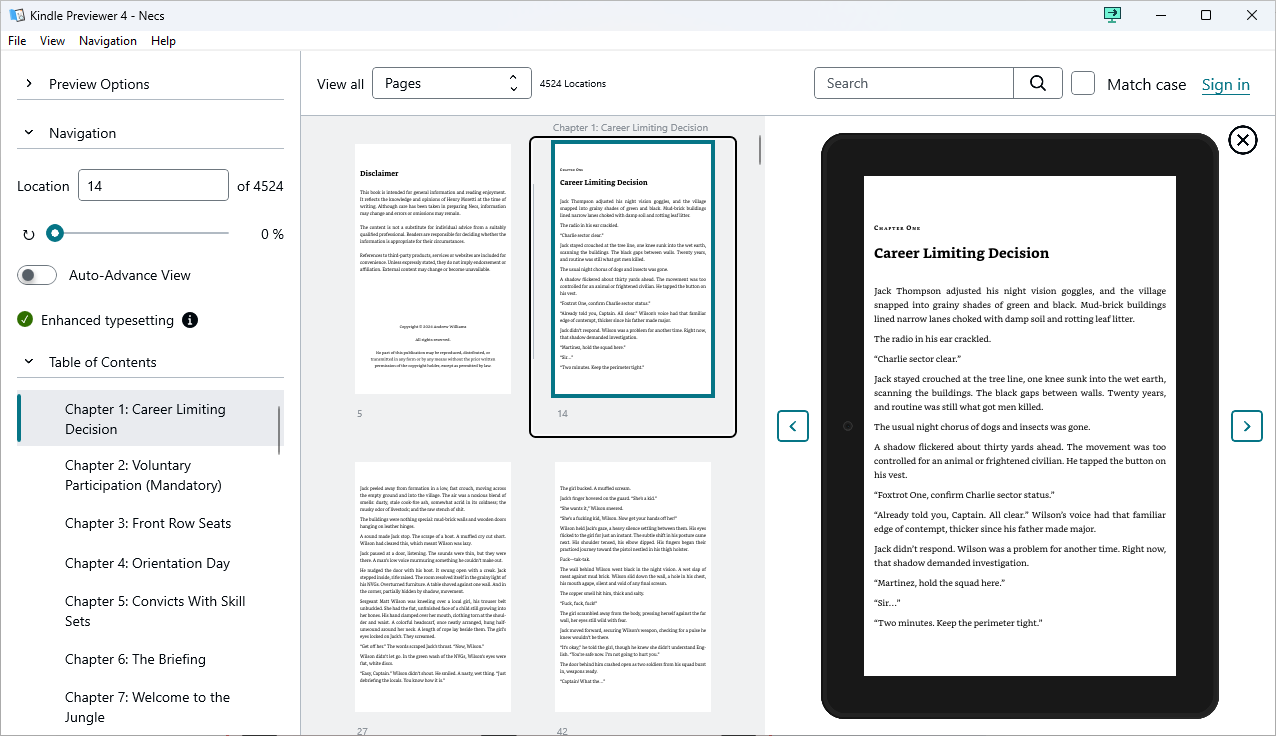
5. Save a copy you can return to
Keep the editable project beside the files you intend to upload. If you spot a typo in a proof, you can fix it in the project and regenerate the right edition. If a print correction shifts the page count, review the cover again before replacing the files.
Want to reuse the same design for your next book? Read Book Formatting Templates, or visit the KDP Formatter software page for related tutorials.
Software covered: KDP Formatter



Leave a Reply