Practical ideas and tutorials
Articles
Browse the latest articles across WordPress, self-publishing, software, and AI tools.

WooCommerce – Complete Guide – Build an eCommerce Website
Build an online shop using WordPress and WooCommerce, with a worked store project and a reference to the main settings. The course covers products, customer-facing organisation and the checkout, shipping and payment decisions involved in running a store.
Read article
Build a Blog in 30 Days
Work towards launching a blog and developing a regular publishing habit. Alongside domain, hosting and WordPress setup, the course covers capturing ideas, avoiding writer's block and finding ways to promote and develop the blog.
Read article
Create an Event Booking Website with WordPress
Create a WordPress site that accepts bookings or appointments and payments. The course focuses on connecting a visitor-facing landing page with the booking system, making it relevant to events and services that need an online reservation process.
Read article
Excel Crash Course
Learn Excel's everyday tools through hands-on worksheet tasks. The course starts with navigating workbooks and entering data, then develops formulas, tables, lookups and reporting skills that can be reused in personal or office projects.
Read article
Google Sheets Crash Course
Build confidence with Google Sheets through practical spreadsheet work. The course moves from entering and organising data to formulas, lookups, charts and dashboards, with attention to collaboration and keeping data consistent.
Read article
Web Design for WordPress Users
Learn the design decisions behind a useful WordPress website, rather than concentrating only on installation. The course connects audience needs with layout, spacing, typography and colour, and applies those principles through Gutenberg and Elementor examples.
Read article
ChatGPT & MidJourney AI Prompt Engineering for Entrepreneurs
Develop a more deliberate approach to prompting ChatGPT and other AI tools for business and creative work. The course covers specificity, context, follow-up questions and output formats, then applies those ideas to writing, images and website-related tasks.
Read article
Mastering NotebookLM – Organize, Analyze, and Learn with AI
Turn a collection of documents into a source-based research workspace with NotebookLM. The course combines organising sources, asking better questions and checking citations with practical outputs such as study materials, audio overviews and mind maps.
Read article
Professional WordPress Theme Development with ChatGPT
Follow two practical projects: creating a new WordPress block theme and redesigning an existing website. The emphasis is on planning, directing ChatGPT, checking its work and packaging a usable theme rather than learning to write every file by hand.
Read article
Build Professional WordPress Websites with ChatGPT
Build a WordPress website through a guided AI workflow, from the first project brief to a tested site. The course follows business and author examples, showing how to plan content, compare designs and direct ChatGPT while retaining control of decisions.
Read article
Install AI Locally – Chat, Image, Video & Cloner
Explore AI tools that run on your own computer, including chat, image generation, video and voice cloning. The course explains the privacy and subscription benefits alongside practical limits such as memory, hardware performance and setup complexity.
Read article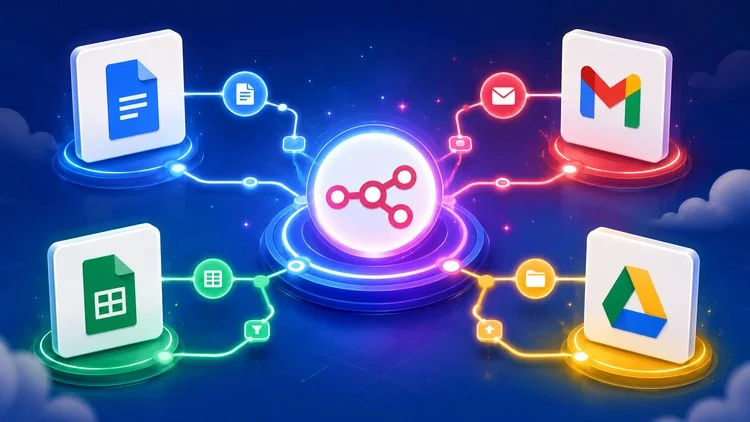
n8n for Beginners: Google Workspace Automation with AI
Build practical automations by connecting n8n with Google Workspace and AI. Lessons progress from setup and secure connections to workflows involving files, spreadsheets, documents and email, followed by projects for content and business tasks.
Read article
WordPress Full Site Editing with Gutenberg
Explore WordPress's block editor and Full Site Editing together. The course explains how individual content blocks relate to templates and theme structure, using a block-compatible theme as the starting point for practical customisation.
Read article
WordPress for Beginners – Master WordPress Quickly
Start with a local WordPress installation and work towards building a responsive website. Lessons explain the dashboard, content, themes and plugins, then introduce the block editor and site-editing tools used to shape a working site.
Read article
Recommended Web Hosting
My recommended domain registrar and web host, plus how to connect the two up so that your site is up quickly.
Read article
What Is cPanel | A Quick Tour for Beginners
What is cPanel and why do new website owners need it? This quick guide explores the simple layout of this popular dashboard. It’s a must-read for novice webmasters everywhere.
Read article
How to Bulk Delete WordPress Comments
A simple tutorial on how site owners can bulk delete WordPress comments. Options include deleting comments in WP Dashboard, using a plugin and via phpMyAdmin. Learn which method is right for you.
Read article
How to Add reCAPTCHA to a WordPress Comment Form
Learn how to add a reCAPTCHA Test to WordPress comments forms in minutes. This step-by-step guide looks at your options and explains the difference between reCAPTCHA v2 and v3.
Read article
How to Add a PayPal Donate Button in WordPress
A quick guide on how to add a custom PayPal Donate Button into any WordPress blog post, page, or widget-friendly area. Choose between a free plugin or embed code into your WP editor.
Read article
How to Add Subscription Box to Notify Readers of New Content
A short guide to show you how to add a simple subscription box in WordPress to notify your readers of new content. It’s an effective way to engage with site visitors and create return traffic.
Read article
How to Add Social Share Buttons in WordPress
New step-by-step tutorial shows you how to add attention-grabbing social share buttons in WordPress. Users can customise the share buttons and control the share counts with this simple plugin.
Read article
How to Add Featured Images or Post Thumbnails in WordPress
Featured images or post thumbnails get 94% more views than text only links in WordPress. This tutorial shows you how to use featured images in WordPress to best effect.
Read article
How to Add Custom Hyperlinks to Your WordPress Gallery Images
You can add custom links to your gallery or single images in WordPress. This step-by-step tutorial shows how to quickly add and edit custom links from the Post Edit screen.
Read article
Gutenberg – A Guide to the new WordPress Editor
Gutenberg is the new WordPress editor coming in WordPress 5.0. You can try it now though, so what can you expect? Explore Gutenberg with this tutorial!
Read article

