WordPress made practical
WordPress Guides
Step-by-step articles to help you build, customize, secure, and grow a WordPress website. Each guide connects the practical steps with courses for learning more.

How to Create a Table of Contents in WordPress without plugins?
How to quickly create a table of contents (TOC) for WordPress posts and pages without a plugin. TOC helps improve the user experience when navigating pages with lots of content.
Read article
The Difference Between Your Image Alt Text and the Image Title in WordPress
There’s a difference between your image alt text and the image title text in WordPress. Both are important, but one is essential as a web accessibility tool and for SEO.
Read article
Install WordPress on your Own Computer Using DesktopServer by ServerPress
This tutorial takes you through the steps to install WordPress son your own computer using DesktopServer by ServerPress.
Read article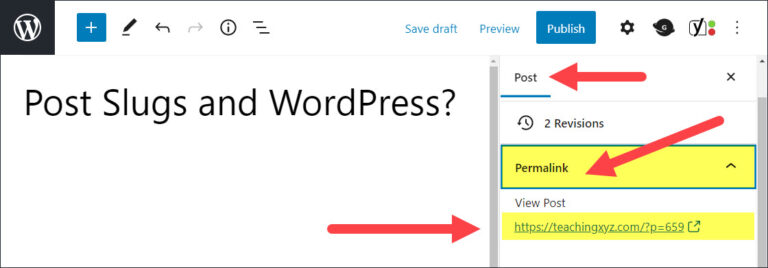
What Is the Post Slug in WordPress?
What is the post slug used in WordPress, and why use it? This guide looks at the best way to create user-friendly, SEO-optimized slugs to help your rankings and improve the visitor experience.
Read article
How to Scan Your WordPress Site for Potentially Malicious Code
Learn how to scan your WP blog or website for potentially malicious code? Bad actors love vulnerable WordPress sites. Make regular scans a part of your security maintenance routine.
Read article
How to Reset a WordPress Password from phpMyAdmin
This guide walks you through resetting any WordPress password from phpMyAdmin. It’s a quick and straightforward method that can get you back into your WP blog or website in minutes
Read article
Install WordPress on your Own Computer Using MAMP
This tutorial takes you through the steps to install WordPress son your own computer using MAMP.
Read article
What is the Best Blogging Platform?
It’s easy to choose the best blogging platform once you know what you need. This new guide reviews 7 favorite CMS and drag and drop website builders for 2020 and beyond.
Read article
Why You Should Always Use the Latest Version of WordPress
Learn why you should always use the latest version of WordPress and what might happen if you don’t. Also, why updated WordPress plugins, themes, and database backups matter so much
Read article
How to Add WordPress Menu Items Without Linking to a Page
A quick how-to Guide on how to add non-linking titles for Dropdown Menus in WordPress. Create neat menus for posts and pages to improve site navigation for your visitors.
Read article
What Is WordPress.COM?
Updated guide asks, what is WordPress.com—exactly, Wwhy is it so popular? What do WordPress offer bloggers, business owners, and eCommerce websites over other platforms?
Read article
What Is a SSL Certificate and Why You Need One?
What is an SSL Certificate, and why do you and your website need one? This short piece looks at the types and uses for SSL certificates, their effect on trust and online business.
Read article

