
When the book was written, the current version of WordPress was 6.7.1. This page has been created so I can alert you to any major changes from what is written in the book.
Changes from the Book in 2025
The Autoterms plugin has changed its name. You can find it here:
Stop Spammers
There are a couple of Alternatives:
WP Armour – Honeypot Anti Spam – this offers a functional free version that you can use as long as you like.
A good paid plugin to stop spam that has a free trial:
Spam protection, Honeypot, Anti-Spam by CleanTalk
Quick Links for Site Structure Videos
(From the “Building the 3 Site Models” section of the book)
Business Site – Using pages for most of the site, but adding a blog.
Blog Site – A post based site with just a few pages.
Hybrid Site – Categorizing posts into groups and having a separate “announcement” blog. Still using pages as they were meant to be used.
In the Block theme section of the book, I show you how to add a background to your web pages. I used a tile I created. If you want to try it yourself, right click the tile on the left and save it to your computer. You can then upload it to your media library and try the tiling option.

Resources from the Book
YouTube Channel
Lots of video tutorials on using WordPress.
O.M.G. Facebook Group
A group I initially created for my course students, but I welcome book readers too! Meet, chat, and discuss with other WordPress users. This is an ad-free zone, so you won’t be bombarded with people trying to sell you stuff. You will be asked where you heard about the group when you click join, so just say you are a reader of the book.
My Site
Find lots of WordPress tutorials. You can sign up for my newsletter while you are there to get notified of new tutorials, books, courses, etc.
WordPress Video Course?
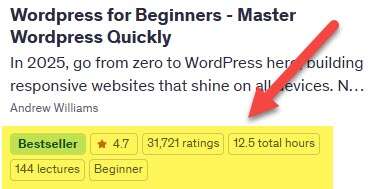
If you are interested in a video course on using WordPress, my comprehensive WordPress for Beginners course is available here:
WordPress for Beginners Course
I also have a course that focuses on the Gutenberg Full Site Editor if you want more help just with that aspect of WordPress.
I have a growing number of video courses hosted on Udemy. You can view a complete list of these at my site:
There are courses on the same kinds of topics that my books cover, so SEO, Content Creation, WordPress, Website Analytics, etc.
WordPress Tutorials on my Website
https://ezseonews.com/category/wordpress/
My Other Webmaster Books
All my books are available as Kindle books and paperbacks. You can view them all here:
https://amazon.com/author/drandrewwilliams
I’ll leave you to explore those if you are interested. You’ll find books on various aspects of being a webmaster, such as creating high-quality content, SEO, CSS, etc.
Google Webmaster Guidelines
https://ezseonews.com/wmg – this is the webmaster’s bible of what is acceptable and what is not in the eyes of the world's biggest search engine.
Google Analytics
http://www.google.com/analytics/ – the best free analytics program out there. When you have some free time to learn how to use Google Analytics, I recommend you upgrade from Get Clicky.


Good afternoon, Andy,
I began with your Kindle “WordPress for beginners 2023” and got waylaid, due to life. I have returned to the book on several occasions but, again, got waylaid. I am back again and, this time, when attempting to install “Local”, am faced with this c:user message “Uh-ho! unable to start site Error EPERM: operation not permitted, rmdr c:\users\peter\AppData\Roaming\local\run\router\ngnix\con\includes OK
I have uninstalled Local and what appear to be associated files.
Please, where do I go from here?
Whilst inputting my details (name and password), I was not allowed to change the email address from my own email address to the inserted “[email protected]” !
_
You’ll need to contact Local support (if that is what you are using), or try a different tool. Search my site for XAMP
I am enjoying following your 2025 book but I am stuck when I get to the widgets page. The drop down menu from Appearance seems to have a lot of missing options: Customize, Widgets, Menus, Background, Theme Editor. I think word press have now updated the widgets to blocks instead. Do you have an update for this section.
Regards
Les
Check out the section on the two types of themes.
Hi Andy,
I’m enjoying your WordPress For Beginners 2025 book, but have got stuck on page 79. I cannot type a hashtag within WordPress using the usual Alt+3 keys on my Mac. It works fine in Pages, Emails etc, so it’s not my keyboard. Have tried Shift 3 as well. No joy. I have an English keyboard. Any ideas?
Try copying and pasting the hashtag from pages or an email.
I do not have Widgets listed in my appearance menu. Why would that be?
Because you have an FSE-enabled theme active, Sarah.